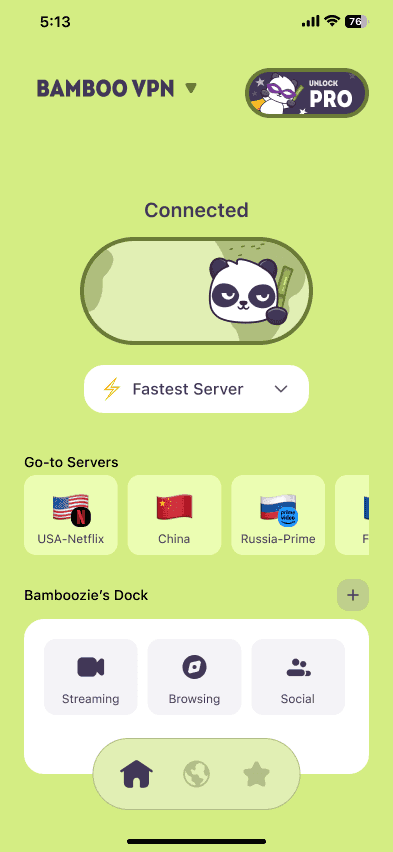
Airplane Wi-Fi is about as safe as any other public Wi-Fi: fine for most things, as long as you take a few precautions. Everyone in the cabin shares one open network, so treat it like airport or café Wi-Fi. Log in through the airline's real page, then turn on a VPN so your apps are encrypted for the rest of the flight.
We make BambooVPN. Airline Wi-Fi details come from airline announcements and travel press, checked on 17 November 2026. Wi-Fi offers change often, so check your airline's app before you fly.
Why in-flight Wi-Fi matters more this holiday season
The holidays are the busiest time of year to fly. TSA's busiest day on record was the Sunday after Thanksgiving 2025, when it screened more than 3.1 million people. And this year, far more of those passengers will be online in the air, because free in-flight Wi-Fi has spread quickly across US airlines:
| Airline | Free Wi-Fi for | Notes (October–November 2026) |
|---|---|---|
| JetBlue | Everyone | Fly-Fi is free on every flight, with no account needed |
| Delta | SkyMiles members | Free to join; about 95% of the fleet has Wi-Fi |
| American | AAdvantage members | Free to join; sponsored by AT&T |
| United | MileagePlus members | Starlink Wi-Fi, being added across the fleet through 2027 |
| Southwest | Rapid Rewards members | On Wi-Fi-equipped planes; Starlink being added |
| Alaska and Hawaiian | Atmos Rewards members | Starlink planes; some aircraft still use older paid Wi-Fi |
When your phone can't get a mobile signal at 35,000 feet, the plane's Wi-Fi is your only way online. That's exactly why it's worth a minute of setup before you board.
How airplane Wi-Fi works
The plane carries its own Wi-Fi router. It connects to the internet through a satellite (such as Starlink, Viasat or Intelsat) or, on some routes over land, through ground towers. Every passenger who joins connects to the same onboard network.
Most airline Wi-Fi is an open network: there's no Wi-Fi password, and you get online through a login page in your browser or the airline's app. That's the same setup as most airport and hotel Wi-Fi, and it brings the same risks.
Is airplane Wi-Fi secure? The real risks
Most apps and websites now encrypt their own traffic, so another passenger can't simply read your messages or card number. The risks that remain are more specific.
A shared, open network
On an open network, the Wi-Fi itself doesn't encrypt anything. You also can't tell whether the airline keeps passengers' devices separated from each other. If file sharing or AirDrop is set to "Everyone", people nearby may be able to see your device.
Fake hotspots on board
An attacker can set up a Wi-Fi network with a name that looks like the airline's. This has happened: in 2024, Australian Federal Police charged a man with setting up fake free Wi-Fi networks at several airports and on a domestic flight. His fake login pages were designed to collect people's email and social media passwords.
Fake or copied login pages
The airline's login page may ask for your frequent-flyer number. It should never ask for your email password or your bank details. If a page asks for something odd, close it.
Wandering eyes
On a plane, the biggest privacy risk may be the person sitting next to you. Seats are close together, and a laptop screen is easy to read from the next row.
Can you use a VPN on airplane Wi-Fi?
Yes, on most airlines' full Wi-Fi. The order matters:
- Connect to the airline's Wi-Fi and wait for the login page to open (or open the airline's app).
- Log in or accept the terms to get online.
- Turn on your VPN. From that point, everything your device sends leaves the plane encrypted.
If you turn the VPN on before logging in, the login page often won't load. Turn the VPN off, log in, then turn it back on.
A few things to know:
- Free "messaging only" Wi-Fi usually blocks VPNs. Some airlines offer free texting through iMessage, WhatsApp or Messenger, with everything else blocked. A VPN won't connect on these plans, and it isn't a way around them. Using a VPN to get around an airline's Wi-Fi limits breaks its terms.
- Some networks slow down or block VPN connections. If your VPN won't connect, try a different server, or reconnect after a few minutes.
- Expect some lag. Satellite internet takes longer to reply than home broadband, although Starlink is much quicker than older systems. A VPN adds a little more, so choose a nearby server or let the app pick one.
Is it safe to do banking on airplane Wi-Fi?
Your bank's official app encrypts its own traffic, so checking your balance is generally safe, especially with a VPN on. The bigger risk is being tricked into typing your details into a fake page. If it can wait until you land and can use mobile data, let it wait. Here's more on using a VPN for online banking, including why some banks question VPN logins.
8 steps to stay safe on airplane Wi-Fi
- Install and test your VPN at home, before you get to the airport.
- Check the network name on the seat-back card, in the airline's app or with the crew. Be wary of extra networks with similar names.
- Log in through the airline's app or page only. Never enter your email password on a Wi-Fi login page.
- Turn on your VPN right after you log in, before you open other apps.
- Set AirDrop to "Contacts Only" or off, and turn off file and screen sharing on your laptop.
- Use a privacy screen or angle your screen away from the aisle for work and banking.
- Turn on two-factor authentication for your email, bank and social accounts before your trip.
- Forget the network after you land, so your device doesn't join a lookalike later.
Tip: if your connection drops when the plane switches satellites, a VPN kill switch stops your apps from sending anything until the VPN reconnects.
What a VPN does on a plane, and what it doesn't
- It does encrypt everything your device sends on the cabin network, so the network and other passengers can't see what you do.
- It does hide which websites and apps you use from the Wi-Fi provider, because your DNS lookups go through the VPN too.
- It doesn't stop you from typing your password into a fake page.
- It doesn't hide your screen from the person sitting next to you.
- It doesn't make you anonymous online.
Choose BambooVPN if…
- You want your whole device protected with one tap on iPhone, iPad, Android, Windows and Mac. On a laptop, use the app rather than a browser extension, because the app covers every app, not just your browser. See VPN extension vs VPN app.
- You want to start free. BambooVPN's free version gives you a set of free servers in the full app, with no ads.
- You want protection for the whole trip. The same app protects you on airport Wi-Fi, in your hotel and on a travel eSIM. Pro adds a Kill Switch, BambooShield (which blocks known ad, tracker, malware and phishing domains) and up to 10 devices at once. Try it free for 7 days on the yearly plan, or pick the weekly plan for a single trip.
Frequently asked questions
Is airplane Wi-Fi secure?
Most airline Wi-Fi is an open network with no Wi-Fi password, so the network itself doesn't encrypt your traffic. Apps and websites usually encrypt their own data, and a VPN encrypts everything else. Treat it like any public Wi-Fi.
Can other passengers see what I'm doing on plane Wi-Fi?
They can't read encrypted apps and websites. On an open network, though, someone could see which sites your device looks up, and your device may be visible to others if sharing is switched on. A VPN hides your traffic from the network, and turning off AirDrop and file sharing hides your device.
Can I use a VPN on a plane?
Yes. Log in to the airline's Wi-Fi first, then turn on the VPN. VPNs usually don't work on free messaging-only plans.
Will a VPN get me free Wi-Fi on a plane?
No. Airlines control what's free on their network, and a VPN doesn't change that. Several US airlines now offer free Wi-Fi to members of their free loyalty programs, so signing up is the easy way to get online.
Is Starlink Wi-Fi on planes safer than other in-flight Wi-Fi?
Starlink is faster and quicker to respond, but for you the cabin network is still a shared public network. The same precautions apply: use the real login page and turn on a VPN.
Should I use a VPN on airplane Wi-Fi for work?
Yes. Many companies require it. If your employer gives you a work VPN, use that on work devices. For your personal phone and laptop, a VPN app protects everything else.
The bottom line
Free in-flight Wi-Fi is one of the nicer changes in air travel. It's a shared public network, though, so log in through the airline's real page, switch on a VPN, keep AirDrop private and mind your screen. Set it all up at home, and you'll be protected from the gate to the hotel.
Planning a trip? Read is airport and hotel Wi-Fi safe?, our travel VPN guide and eSIM vs VPN.
Download BambooVPN for iPhone and iPad, Android, Windows and Mac.
Sources (checked 17 November 2026)
- Airline Wi-Fi: Your Mileage May Vary, "Airline Wi-Fi Is Changing Fast" (13 October 2026)
- Passenger numbers: TSA checkpoint travel numbers
- Public Wi-Fi advice: FCC, Wireless Connections and Bluetooth Security Tips, FTC, Are Public Wi-Fi Networks Safe?
DOWNLOAD THE APP
THE INTERNET IS YOURS. UNLOCK.