Airport and hotel Wi-Fi is mostly safe to use, as long as you know what to watch for. Most websites and apps now encrypt their traffic, so a stranger on the same network can't simply read your messages or card details. The real risks are more specific: fake hotspots, fake login pages and shared networks where your device is visible to everyone else.
With the holiday travel season starting, millions of people will connect to free Wi-Fi at gates, lounges and hotel lobbies. Here's what can actually go wrong, and a simple checklist to stay safe.
What can actually go wrong on public Wi-Fi
Fake "evil twin" hotspots
An evil twin is a Wi-Fi network set up by an attacker with a name that looks official, such as "Free Airport WiFi" or the name of your hotel. Your phone may even join it automatically if it has seen a similar name before.
This isn't just theory. In 2024, Australian Federal Police charged a man with setting up fake free Wi-Fi networks at several airports and on a domestic flight. The fake networks showed login pages designed to collect people's email and social media passwords.
Fake login pages
Many public networks show a page where you accept the terms before you get online. Attackers copy this idea: their page asks you to "sign in with your email" or social account, and keeps whatever you type. A real airport or hotel login page should never need your email password.
Unencrypted apps and DNS lookups
Most traffic is encrypted today, but not all of it. Some older apps, smart devices and websites still send data without encryption. Even when the content is encrypted, the network can usually see which websites you look up, because DNS requests often travel in plain text.
Shared networks
On hotel networks, your laptop or phone can sit on the same local network as every other guest on your floor, or even the whole building. If file or screen sharing is switched on, other devices may be able to see yours.
Airport vs hotel vs café Wi-Fi: is one safer?
Not really. The risks are similar everywhere, because they come from how open networks work rather than from the location. Two differences are worth knowing:
- Airports are busy, which makes fake hotspots easy to hide among real ones.
- Hotels often put all guests on one shared network for days at a time, which gives a bad actor more time.
Is it safe to do banking on airport or hotel Wi-Fi?
Your bank's official app encrypts its traffic, so the connection itself is usually not the weak point. The bigger danger is being tricked into typing your details into a fake page. If you need to check your bank account while traveling:
- Use your bank's official app, not a link from a message or a login page.
- Switch to mobile data for anything sensitive if you can.
- Turn on two-factor authentication before your trip.
9 steps before you connect
- Check the exact network name. Ask staff or look for official signs. Be suspicious of extra networks with similar names.
- Never enter your email or account password on a Wi-Fi login page. A real network only needs a room number, a code or a tick box.
- Use mobile data or your phone's hotspot for sensitive tasks, such as banking or work logins.
- Turn on a VPN before you open other apps, so your traffic is encrypted from the start.
- Turn off auto-join for public networks, and forget the network when you leave.
- Update your phone and laptop before you travel. Updates fix security holes attackers rely on.
- Use two-factor authentication on your email, bank and social accounts.
- Turn off file and screen sharing on your laptop while on public networks.
- Avoid public USB charging ports. Bring your own charger or a power bank.
Tip: set all of this up at home. Nobody wants to change security settings at the gate with boarding about to close.
What a VPN does, and what it doesn't
A VPN creates an encrypted tunnel between your device and a VPN server. On public Wi-Fi, that means:
- It does encrypt your traffic on the local network, so the hotspot owner and other users can't see what you send.
- It does hide which websites you look up from the Wi-Fi network, because your DNS requests go through the tunnel too.
- It doesn't stop you from typing your password into a fake login page. You still need to check where you're signing in.
- It doesn't make you anonymous. It reduces what the network can see; it doesn't make you invisible online.
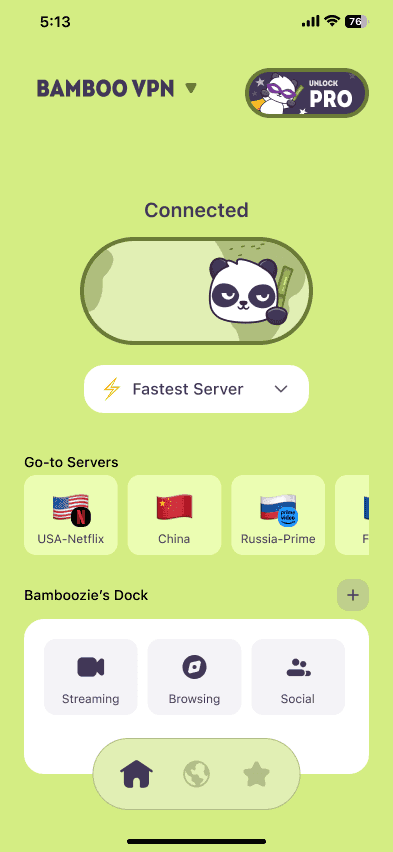
Apps such as BambooVPN use the modern WireGuard protocol and can also block known ad and tracker domains with BambooShield, which cuts down on unwanted connections while you browse.
Quick holiday travel checklist
- Update your devices
- Turn on two-factor authentication
- Install and test your VPN at home
- Turn off auto-join and file sharing
- Pack a charger or power bank
- Ask staff for the real Wi-Fi name when you arrive
Frequently asked questions
Is it safe to use airport Wi-Fi for banking?
It's usually safe if you use your bank's official app, because the app encrypts its traffic. The main risk is a fake login page or hotspot. Mobile data is the safer choice for banking when it's available.
Can someone hack my phone through public Wi-Fi?
It's uncommon for a fully updated phone to be hacked just by joining a network. Most real-world attacks rely on tricking you, for example with a fake login page. Keeping your phone updated and avoiding unknown login pages removes most of the risk.
Is my phone's hotspot safer than hotel Wi-Fi?
Generally yes. Your hotspot is a private network that only your devices use, while hotel Wi-Fi is shared with other guests.
Does a VPN protect me on public Wi-Fi?
A VPN encrypts your traffic on the network and hides the sites you visit from the hotspot owner. It can't protect you if you enter your password on a fake page, so combine it with the other steps above.
How do I spot a fake Wi-Fi network?
Look for duplicate or slightly misspelled network names, open networks that ask for your email password, and login pages with odd web addresses. When in doubt, ask staff for the exact network name.
Travel safer this season
Public Wi-Fi is convenient, and with a few habits it's safe enough for most things. Set up a VPN such as BambooVPN before you leave home, not at the gate, and you'll be protected on every network you join along the way.
Get BambooVPN for iPhone and iPad or Android.
DOWNLOAD THE APP
THE INTERNET IS YOURS. UNLOCK.