Usually not: a VPN adds an extra stop between you and the game server, so on a good connection your ping goes up slightly. But if your internet provider sends game traffic on a long detour or slows it down at busy times, a nearby VPN server can give you a shorter, steadier path, and then your ping and lag can actually drop.
The only way to know for your connection is to test it. This guide explains what really decides your ping, when a VPN helps and when it hurts, and a simple five-minute test you can run in Fortnite or Call of Duty.
What decides your ping?
Ping (latency) is the time it takes for data to travel from your device to the game server and back, measured in milliseconds (ms). Four things decide it:
- Distance. Data can't travel faster than light through fibre. A game server 5,000 km away will always have higher ping than one in your own country.
- Routing. Your traffic hops between several networks on the way. Sometimes your provider sends it on a long detour instead of the direct route.
- Congestion. In the evening, when everyone is streaming, busy links can delay or drop packets.
- Your home network. Weak Wi-Fi, a busy router or someone downloading in the next room often adds more lag than anything on the internet.
Lag isn't only ping. Jitter (ping jumping up and down) and packet loss (data that never arrives) are what cause rubber-banding and shots that don't register.
Why a VPN usually adds ping
When you connect to a VPN, your game traffic goes to the VPN server first and then on to the game server. That extra stop adds some distance and a little processing time. With a modern protocol like WireGuard, the encryption itself costs very little. The extra distance is what matters.
So if your provider already takes a direct route to the game server, a VPN can only add a few milliseconds, or more if you pick a server far away.
When a VPN can lower ping and lag
A VPN can help in a few specific situations:
- Bad routing. If your provider's route to the game server is a detour, a VPN server near you (or near the game's servers) can sometimes take a more direct path.
- Throttling or traffic shaping. Some providers slow down certain kinds of traffic at peak times. Inside a VPN tunnel, your provider can't tell game traffic apart from everything else.
- Congested peak-hour links. If one route is overloaded every evening, going through a VPN server can avoid that particular bottleneck.
What a VPN can't do is beat distance. If you're in Europe and join a North American lobby, no VPN will give you European ping.
Ping with and without a VPN: quick comparison
| Your situation | Likely effect of a VPN |
|---|---|
| Good provider, nearby game server | Slightly higher ping (a few ms) |
| Provider routes game traffic on a detour | Can lower ping |
| Provider throttles traffic at peak times | Can reduce lag and jitter |
| Lag caused by weak Wi-Fi | No help; fix the Wi-Fi first |
| Game server far away | No help; distance still applies |
| VPN server far from you | Higher ping |
How to test it in 5 minutes
- Turn on the in-game network stats (see below for Fortnite and Call of Duty).
- Play two or three matches without a VPN and note your typical ping and any packet loss.
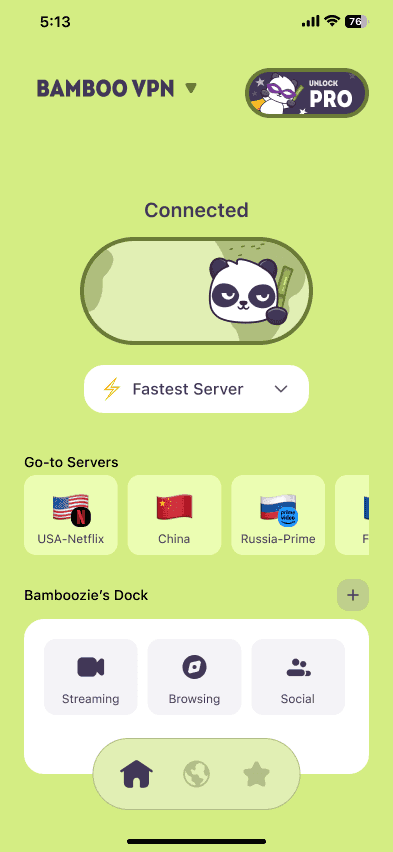
- Connect to the nearest VPN server, or one of the recommended servers in BambooVPN's Gaming category.
- Play the same mode again and compare ping, jitter and packet loss.
- Keep whichever is better. Test once more in the evening, since routing and congestion change during the day.
Fortnite: where to see your ping
Fortnite can show live network stats on screen. Look for the Net Debug Stats option in the game's settings (under the Game UI section), which shows your ping and packet loss during a match. In the Game settings, check your Matchmaking Region: it should be the region closest to you, which is often the biggest single ping fix.
Call of Duty: where to see your ping
Recent Call of Duty games, including Warzone, can show server latency and packet loss on screen. Look for the Telemetry options in the interface settings and switch on the latency and packet loss counters.
Tip: compare packet loss as well as ping. A VPN that adds 5 ms but removes packet loss will usually feel smoother.
Picking the right VPN server for gaming
- Choose a server close to you, or close to the game's servers for your region. Distance is the biggest factor.
- Try two or three servers and keep the one with the lowest ping in the game's own stats.
- Use the Gaming category in BambooVPN. It lists recommended servers for Call of Duty, Fortnite, PUBG, Valorant, Apex Legends, Roblox and Mobile Legends, so you don't have to test every location yourself.
Other ways to lower your ping (no VPN needed)
| Fix | Why it helps |
|---|---|
| Use an Ethernet cable | Removes Wi-Fi delay and interference |
| Use 5 GHz Wi-Fi, closer to the router | Less interference than 2.4 GHz |
| Pause downloads, updates and streams | Frees up your connection |
| Pick the nearest matchmaking region | Shorter distance to the game server |
| Restart your router | Clears a stuck or overloaded router |
| Turn on QoS or gaming mode on the router | Puts game traffic first |
Other ways a VPN helps gamers
Even when it doesn't change your ping, a VPN can help:
- It hides your home IP address from other players, which makes it much harder for someone to flood your connection (a DDoS attack) after a heated match.
- It protects you on shared networks, such as dorm, hotel or café Wi-Fi.
Play fair: don't use a VPN to break a game's rules, for example to manipulate region-based matchmaking. Check the game's terms. Publishers can suspend accounts that break them.
Frequently asked questions
Does a VPN reduce ping in Fortnite?
Usually not, because it adds a stop on the way to the game server. It can lower ping or lag if your provider routes or throttles your traffic badly. Test it with Fortnite's Net Debug Stats switched on, and pick the nearest matchmaking region.
Does a VPN lower ping in Call of Duty and Warzone?
Only in the same situations: bad routing, throttling or congested peak-time links. Turn on Call of Duty's telemetry counters and compare a few matches with and without the VPN.
Can a VPN fix packet loss?
Sometimes. If the packet loss happens on your provider's network or on a congested route, a VPN can avoid it. If it comes from weak Wi-Fi or your router, a VPN won't help.
Which VPN server should I use for gaming?
The one closest to you or to the game's servers for your region. In BambooVPN, open the Gaming category and try the recommended servers for your game.
Will a VPN slow down my game downloads?
It can a little, because your traffic takes a slightly longer path. You can disconnect while downloading updates and reconnect when you play.
Can I use BambooVPN for gaming on PC and phone?
Yes. BambooVPN is available on iPhone and iPad, Android, Windows and Mac, so you can test it on mobile and desktop.
The bottom line
A VPN is not a magic ping booster. On a good connection it adds a few milliseconds. But when your provider routes or throttles game traffic badly, a nearby VPN server can give you a shorter, steadier path. Test it in your own game for five minutes, keep whatever gives the lowest ping and packet loss, and fix your Wi-Fi first.
Browse the recommended servers for your game in the Gaming category, or download BambooVPN for your device: iPhone and iPad, Android, Windows and Mac.
DOWNLOAD THE APP
THE INTERNET IS YOURS. UNLOCK.