Shopping online on public Wi-Fi is usually safe, as long as the store uses a secure (HTTPS) connection and you avoid a few common traps. Most checkout pages encrypt your card details, so a stranger on the same cafe or airport network can't simply read them. The bigger dangers at this time of year are fake networks, fake stores and scam deals that trick you into handing over your details yourself.
With Black Friday and Cyber Monday approaching, millions of people will grab deals on their phones over free Wi-Fi at cafes, airports and shopping centres. Cybercriminals know this: attacks on shoppers can spike sharply over the sales weekend. Here's what can actually go wrong, when public Wi-Fi is fine, and a simple checklist to protect your money.
What can actually go wrong when you shop on public Wi-Fi
Fake "evil twin" hotspots
An attacker can set up a Wi-Fi network with an official-looking name like "Free Mall WiFi" or "Airport_Guest." If you connect to it, they sit between you and the internet and can push you to fake pages. Your phone may even join a lookalike network automatically if it has seen a similar name before.
Fake stores and scam deals
Around the sales, scammers flood search ads, email and texts with "90% off" offers that lead to copycat or throwaway stores. The site looks real, takes your card, and either charges you for nothing or harvests your details. This has nothing to do with the Wi-Fi itself, but it is the most common way shoppers lose money during Black Friday.
Unsecured (non-HTTPS) pages
A proper checkout page shows a padlock and an address starting with https://. The encryption on that page is what actually protects your card on any network. A handful of older or sloppy sites still load pages over plain http:// — on a public network, those are genuinely risky to enter details into.
Shoulder surfing and shared networks
In a busy cafe or lounge, someone nearby can simply watch you type a card number or password. And on some networks your device sits on the same local network as every other guest, so leaving file sharing switched on can expose your laptop.
Is it the Wi-Fi or the website that matters?
Mostly the website. Modern encryption (HTTPS) protects your card and login details even on an open network — the padlock does the heavy lifting. Public Wi-Fi adds a layer of risk because it makes fake hotspots and fake login pages easier to pull off, and because you can't be sure who set the network up.
So the honest answer is: shopping on public Wi-Fi is fine for a normal store on an HTTPS page, but it's the worst place to take a chance on an unfamiliar site or a deal that arrived by text.
Why Black Friday and Cyber Monday are riskier
The sales season changes the odds in three ways:
- More scam traffic. Phishing emails, fake delivery texts and copycat stores all spike around the sales.
- Shoppers in a hurry. Deals have countdowns, so people click first and check later — exactly what scammers count on.
- More public-network shopping. People buy on the move, on networks they don't control.
8 steps to shop safely on public Wi-Fi
- Use mobile data or a VPN for anything with your card. Your phone's own data is a private connection. If you're on Wi-Fi, turn on a VPN first so your traffic is encrypted end to end.
- Check the padlock and the web address. Look for
https://and the correct spelling of the store's domain before you type anything. Scammers love near-misses likeamaz0n-deals.com. - Type the store's address yourself. Don't reach big sales through links in emails, texts or ads — go straight to the retailer you know.
- Pay with a credit card or a virtual card, not a debit card. Credit cards have stronger fraud protection and a chargeback process; a stolen debit number can drain your actual bank balance.
- Never enter an account password on a Wi-Fi sign-in page. A real network only needs a room number, a code or a tick box — never your email or bank password.
- Turn on two-factor authentication for your shopping, email and bank accounts before the sales start.
- Don't save your card on a browser or account you only use on shared devices or networks.
- Keep your phone and laptop updated, and switch off file sharing while you're on public Wi-Fi.
Tip: set this up at home before the sales. Nobody wants to fix security settings with a deal timer ticking down.
What a VPN does, and what it doesn't
A VPN creates an encrypted tunnel between your device and a VPN server. When you shop on public Wi-Fi, that means:
- It does encrypt your connection on the local network, so the hotspot owner and other users can't see what you're doing — a strong safeguard against fake and snooping networks.
- It does hide which sites you visit from the Wi-Fi network, because your DNS lookups go through the tunnel too.
- It doesn't check whether a store is genuine. If you enter your card on a fake site, a VPN can't get your money back — you still need to verify the retailer.
- It doesn't make you anonymous. It reduces what the network can see; it doesn't make you invisible online.
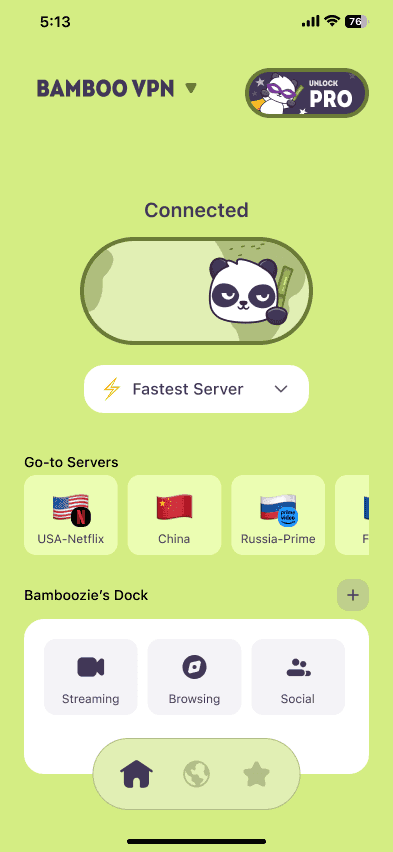
Apps like BambooVPN use the modern WireGuard protocol, and BambooShield can block known scam, ad and tracker domains — which cuts down on some of the malicious links that circulate during the sales.
Credit card vs debit card for online shopping
If you only change one habit this season, make it this one. A credit card adds a layer between a scammer and your bank account, and card networks let you dispute fraudulent charges. Many banks also offer single-use "virtual card" numbers for online shopping, so even if a number leaks, it can't be reused. A debit card, by contrast, pulls money straight out of your account and is slower to recover.
Quick Black Friday safety checklist
- Shop over mobile data or with a VPN switched on
- Check for the padlock and the exact web address
- Reach stores directly, not through ad or email links
- Pay with a credit card or virtual card
- Turn on two-factor authentication
- Keep devices updated and file sharing off
Frequently asked questions
Is it safe to shop online on public Wi-Fi?
Usually yes, if the store uses an HTTPS page (look for the padlock) and you avoid unfamiliar sites. The connection to a reputable store is encrypted even on an open network. For extra safety, use mobile data or a VPN when you enter card details.
Is it safe to use my credit card on public Wi-Fi?
On a legitimate HTTPS checkout page, yes — the page encrypts your card number. The real risk is a fake store or fake Wi-Fi page, not the card itself. A credit card is still safer than a debit card because of its fraud protection.
Does a VPN protect online shopping?
A VPN encrypts your connection and hides your activity from the Wi-Fi network, which protects you from snooping and fake hotspots. It can't tell a real store from a fake one, so combine it with checking the site's address and padlock.
Is it safer to shop on my phone's mobile data than on Wi-Fi?
Generally yes. Mobile data is a private connection that only your device uses, while public Wi-Fi is shared and can be faked. If you must use Wi-Fi for shopping, switch on a VPN first.
How do I know an online store is safe before I pay?
Check that the address starts with https:// and is spelled correctly, be wary of deals that are far cheaper than everywhere else, and reach the store directly rather than through a link in an email, text or ad.
Shop the sales safely
Public Wi-Fi is convenient, and with a few habits it's safe enough for most of your shopping. The real dangers during the sales are fake stores and scam deals, so slow down, check where you're buying, pay with a credit card, and switch on a VPN before you enter your details.
Watch out for the deals themselves too: see how to avoid online shopping scams this Black Friday, and for staying safe on the move, our guide to airport and hotel Wi-Fi safety.
Get BambooVPN for iPhone and iPad or Android.
DOWNLOAD THE APP
THE INTERNET IS YOURS. UNLOCK.